Drag-and-drop reordering for posts, custom post types and taxonomies
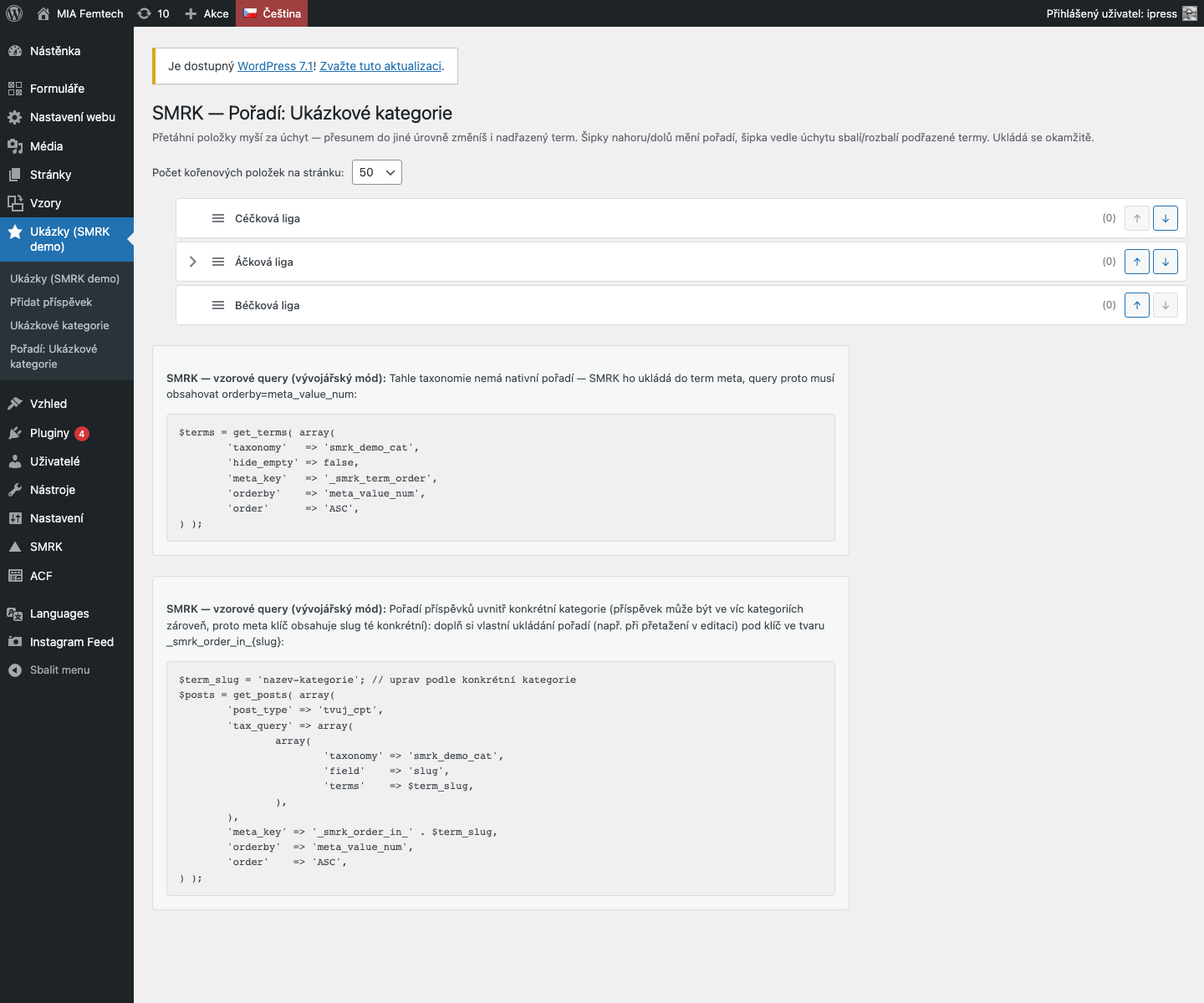
Reorder gives every enabled post type and taxonomy its own dedicated "Order" page with mouse drag & drop plus arrow-button controls. For taxonomies, dragging can also change the parent term — so moving a category under a different category is just as easy as reordering it.
Key features
- A dedicated "Order" page for every enabled post type — no mixing with the regular list view
- Drag & drop plus up/down arrow buttons (usable without a mouse)
- Nested tree view for taxonomies with drag-based re-parenting between levels
- Collapsible tree branches (accordion) for large taxonomies
- Configurable items-per-page (default 50)
- Developer mode: ready-to-use sample query printed right on the page
- Posts use the native menu_order column, terms use dedicated term meta
How it works
For posts, the module filters the admin query to `orderby=menu_order` and persists changes via `wp_update_post`. Terms have no native order column, so the value is stored in term meta `_smrk_term_order` and wired into the listing through the `terms_clauses` filter — a direct JOIN against `wp_termmeta`, not `pre_get_terms`, because WordPress builds the ordering `meta_query` before that hook even runs.
Re-parenting a term (dragging it into a different tree branch) calls `wp_update_term()` with a changed `parent`, so the hierarchy actually changes at the WordPress taxonomy level, not just visually.
An alternative to Intuitive Custom Post Order or Simple Page Ordering — with the added ability to reorder inside taxonomies.